
Fairphone 2: IMEI and Serial Numbers of the Phone and Modules
Each Fairphone 2 core module has two unique identifiers:
- IMEI 1
- Serial number
What is an IMEI 1?
The device is identified by the IMEI 1. The IMEI number is composed of 15 digits (there are no letters), e.g. 1234567890123456.
Each SIM space has been assigned an IMEI for identification, and therefore Fairphone devices have two IMEI numbers, known as IMEI 1 and IMEI 2.
What is a serial number?
The parts are identified by a serial number. Serial numbers are composed of letters and numbers. The core of the phone itself is considered a part, and this will have a serial number.
These serial numbers allow us to track the spare parts to the day they have been manufactured!
Where can I find the IMEI 1 for the Fairphone 2?
Where can I find the IMEI 1 on a working Fairphone 2?
Where can I find the IMEI 1 on a non-working Fairphone 2?
Serial Numbers of the Phone and Modules
Where can I find the serial number for the Fairphone 2?
Where can I find the serial number for the Fairphone 2 display module?
Where can I find the serial number for the Fairphone 2 top module?
Where can I find the serial number for the Fairphone 2 camera module?
Where can I find the serial number for the Fairphone 2 bottom module?
Where can I find the serial number for the Fairphone 2 battery?
Identify Version 1 and Version 2 modules
IMEI
Where can I find the IMEI 1 for the Fairphone 2?
The unique identifier of your Fairphone 2, and more specifically of the Core Module, is the IMEI1.
You can find the IMEI1:
- On the phone itself.
- On the original white foam shipping box.
- On your invoice.
Where can I find the IMEI 1 on a working Fairphone 2?
The quickest way to find the IMEI1 of a working phone is the following:
- Go to Settings → System → About phone.
- Scroll down and check IMEI (sim slot 1).
Where can I find the IMEI 1 on a non-working Fairphone 2?
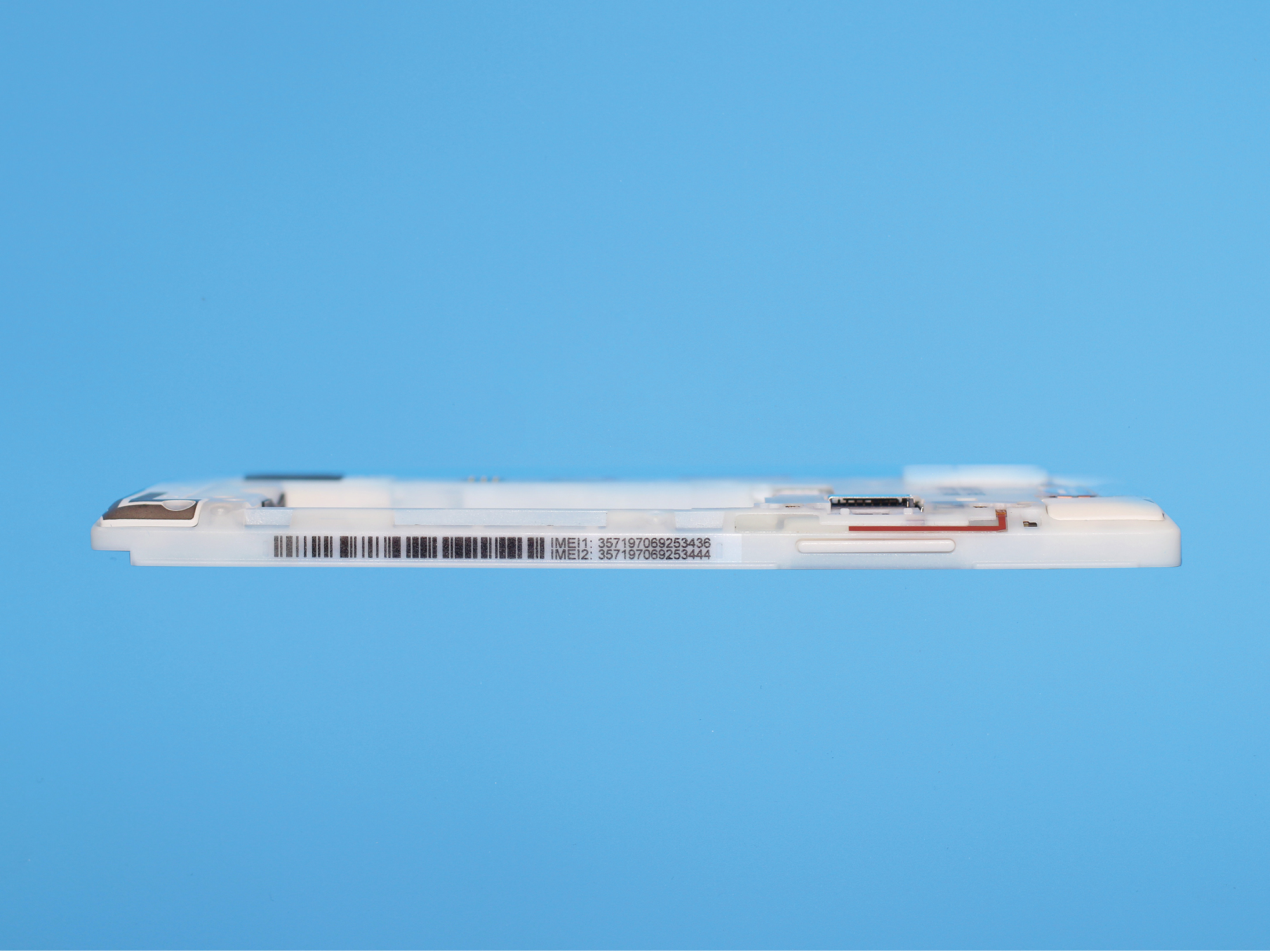
If the display stays black or the phone doesn't work anymore, you can look inside the phone instead. The IMEI1 is located on the side of the Core Module, below the volume buttons. It is composed of 15 digits (there are no letters), e.g. 1234567890123456.
Serial Numbers of the Phone and Modules
If you need it, we have a guide with instructions on how to open the Fairphone 2 and get to the modules.
Where can I find the serial number for the Fairphone 2?
To find the 8-symbol core module serial number, dial *#06#* in the Phone app, as you would dial a phone number.
Alternatively, go to Settings → About phone → scroll down to Model & Hardware → Serial number.
Where can I find the serial number for the Fairphone 2 display module?
The unique identifier of the Display Module is located on the back of the module, between the two blue clips. It is composed of 10 characters (letters and digits) and starts with an A, e.g. Axxxxxxxxx.
Depending on the version of the display you have, the manufacturing day of the frame might be engraved on the top of the back side, e.g. Made on 18.12.2015.
Where can I find the serial number for the Fairphone 2 top module?
The unique identifier of the Top Module is located on the underside, close to the front camera. It is composed of 10 characters (letters and digits) and starts with a B, e.g. Bxxxxxxxxx.
Where can I find the serial number for the Fairphone 2 camera module?
The unique identifier of the Camera Module is located on the top, above the camera sensor. It is composed of 10 characters (letters and digits) and starts with a C, e.g. Cxxxxxxxxx.
Where can I find the serial number for the Fairphone 2 bottom module?
The unique identifier of the Bottom Module is located on the back, on the bottom under the screw holes. It is composed of 10 characters (letters and digits) and starts with a D, e.g. Dxxxxxxxxx.
Where can I find the serial number for the Fairphone 2 battery?
The unique identifier of the Battery is located on its back. It is composed of 14 characters (letters and digits) and starts with a F, e.g. Fxxxxxxxxxxxxx.
Identify Version 1 and Version 2 modules
The Camera Modules
You can identify which modules you currently have installed in your Fairphone 2 directly on the device:
- Update the phone to the latest version of the OS.
- Go to Settings → About phone.
- See Top module info and Camera module-info.
The upgraded modules identify as:
- Front camera 5MP - OmniVision OV5670
- Main camera 12MP - OmniVision OV12870
The first version of the modules identified as:
- Front camera 2MP - OmniVision OV2685
- Main camera 8MP - OmniVision OV8865
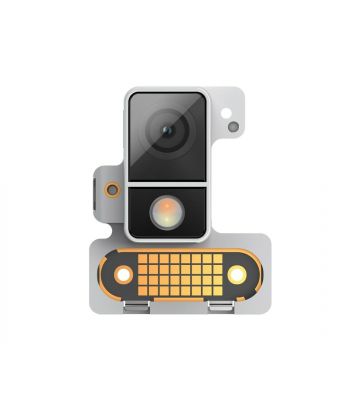
You can also identify the modules by looking at them. They can be distinguished once you know what to look for. Search for a white horizontal plastic edge separating the flash from the camera lens. If you see it, you have an upgraded camera module.
The Top Modules
The top module is a bit trickier to identify. You have to check the connector socket. To do this, you have to take out the module first. If you have never removed a module from your phone before, check our article about replacing modules.
Once you have the module in your hands, check for the presence of the brown gasket on the connector socket.
Now, you should know which version of the module(s) you have!